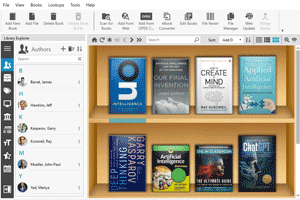
6 books on AI Platforms [PDF]
Like
29
Cloud AI platforms (for example Google Cloud for AI, AWS AI, Azure AI Solutions) provide companies and cloud services with an infrastructure for building AI applications. They offer a set of open (or proprietary) LLM and CV models that can be used for up-training and processing of their data.
If it's a platform with a proprietary AI model, like Google Cloud, it may have pre-built higher-level tools - cognitive services (e.g., speech recognition, document recognition, text-to-speech, etc.), chatbot , voice assistants and AI agent builders.
Furthermore, as described in the books, they allow you to create your own ML models. For this, they support Python and popular libraries like Tensorflow and Pytorch, collaborative development tools, AI code generation and provide tools for working with data (loading, cleaning, transforming, augmenting, managing datasets and versioning, ensuring security and privacy), as well as tools for integrating models with business applications and cloud services.
But of course, once you've finally built your model and application, it's important that it runs quickly and reliably. For this purpose, AI platforms allow you to create virtual GPU/TPU instances optimized for ML computations (matrix multiplication).
Here are some PDF books about cloud AI platforms:
1. No Code AI Platforms for Small Businesses
2025 by StoryBuddiesPlay
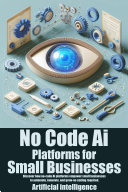
This is a ChatGPT-generated list of no-code AI platforms for building business applications. Some of them really use AI, some do not, but the main builder of applications for small businesses is of course Microsoft Power Apps, which in the book was mistakenly called Microsoft Power Automate (that is an RPA platform for large companies). But Power Apps is now really built around the use of AI, or more precisely, the Copilot chatbot. You start by describing to the chatbot what application you need and what it should do. Using natural language, you create a data structure - database tables. At each stage, Copilot offers its ideas and you can approve or reject them. In production mode, the application can also use AI, for example, for data visualization, finding insights, helping users quickly fill out forms, etc. If you are a more advanced user, you can use Copilot to deploy and use one of the available LLM models.
Download PDF
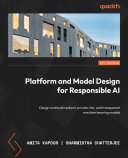
2. Platform and Model Design for Responsible AI: Design and build resilient, private, fair, and transparent machine learning models
2023 by Amita Kapoor, Sharmistha Chatterjee
Download PDF
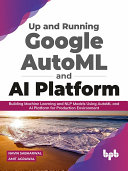
3. Up and Running Google AutoML and AI Platform: Building Machine Learning and NLP Models Using AutoML and AI Platform for Production Environment
2021 by Navin Sabharwal, Amit Agrawal
Download PDF
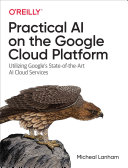
4. Practical AI on the Google Cloud Platform
2020 by Micheal Lanham
Download PDF
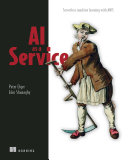
5. AI as a Service: Serverless machine learning with AWS
2020 by Peter Elger, Eoin Shanaghy
Download PDF
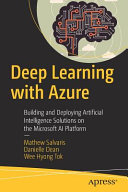
6. Deep Learning with Azure: Building and Deploying Artificial Intelligence Solutions on the Microsoft AI Platform
2018 by Mathew Salvaris, Danielle Dean, Wee Hyong Tok
Download PDF
How to download PDF:
1. Install Gooreader
2. Enter Book ID to the search box and press Enter
3. Click "Download Book" icon and select PDF*
* - note that for yellow books only preview pages are downloaded
If it's a platform with a proprietary AI model, like Google Cloud, it may have pre-built higher-level tools - cognitive services (e.g., speech recognition, document recognition, text-to-speech, etc.), chatbot , voice assistants and AI agent builders.
Furthermore, as described in the books, they allow you to create your own ML models. For this, they support Python and popular libraries like Tensorflow and Pytorch, collaborative development tools, AI code generation and provide tools for working with data (loading, cleaning, transforming, augmenting, managing datasets and versioning, ensuring security and privacy), as well as tools for integrating models with business applications and cloud services.
But of course, once you've finally built your model and application, it's important that it runs quickly and reliably. For this purpose, AI platforms allow you to create virtual GPU/TPU instances optimized for ML computations (matrix multiplication).
Here are some PDF books about cloud AI platforms:
1. No Code AI Platforms for Small Businesses
2025 by StoryBuddiesPlay
This is a ChatGPT-generated list of no-code AI platforms for building business applications. Some of them really use AI, some do not, but the main builder of applications for small businesses is of course Microsoft Power Apps, which in the book was mistakenly called Microsoft Power Automate (that is an RPA platform for large companies). But Power Apps is now really built around the use of AI, or more precisely, the Copilot chatbot. You start by describing to the chatbot what application you need and what it should do. Using natural language, you create a data structure - database tables. At each stage, Copilot offers its ideas and you can approve or reject them. In production mode, the application can also use AI, for example, for data visualization, finding insights, helping users quickly fill out forms, etc. If you are a more advanced user, you can use Copilot to deploy and use one of the available LLM models.
Download PDF
2. Platform and Model Design for Responsible AI: Design and build resilient, private, fair, and transparent machine learning models
2023 by Amita Kapoor, Sharmistha Chatterjee
Download PDF
3. Up and Running Google AutoML and AI Platform: Building Machine Learning and NLP Models Using AutoML and AI Platform for Production Environment
2021 by Navin Sabharwal, Amit Agrawal
Download PDF
4. Practical AI on the Google Cloud Platform
2020 by Micheal Lanham
Download PDF
5. AI as a Service: Serverless machine learning with AWS
2020 by Peter Elger, Eoin Shanaghy
Download PDF
6. Deep Learning with Azure: Building and Deploying Artificial Intelligence Solutions on the Microsoft AI Platform
2018 by Mathew Salvaris, Danielle Dean, Wee Hyong Tok
Download PDF
How to download PDF:
1. Install Gooreader
2. Enter Book ID to the search box and press Enter
3. Click "Download Book" icon and select PDF*
* - note that for yellow books only preview pages are downloaded